Bridge
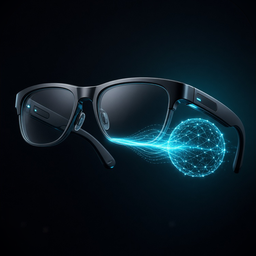
Talk to your Claude agents hands-free, through Ray-Ban Meta glasses or your headphones. Your agents run in Bridge Cloud, so all you need is your iPhone.
Coming soon to the App Store
Works with Ray-Ban Meta glasses · Works with any Bluetooth headset · Works with Claude
Where it works
-
Ray-Ban Meta glasses
Start Bridge with Siri or the Action Button and talk through the glasses. Take a photo with the glasses camera and ask Claude about what you see, or hand it to an agent.
-
Any headset, or just your iPhone
AirPods, a car's Bluetooth or the iPhone itself. When an agent has something for you, it rings like a phone call, so you can answer without touching anything.
-
Any Claude app
Add Bridge as a connector in Claude, and Claude can start tasks for your agents and read their answers, on the web, desktop or mobile.
How it works
-
You speak
Bridge turns your speech into text on your iPhone, using Apple's speech recognition, and reads your task back before anything is sent.
-
Bridge Cloud takes it
Say "send it" and the text goes to your agents in Bridge Cloud, under the Bridge account you made with Sign in with Apple. There's no computer to leave running.
Bridge Cloud agents launch with the App Store release.
-
You hear the answer
Replies are read aloud as they arrive. If you've hung up, the agent calls you back, or sends a notification when no headset is connected.
What you can say
-
Start a task
Say "in <project>, <task>". Bridge reads the task back before it's sent; say "send it" to confirm.
-
Answer, check, hang up
"Yes" answers an agent's question. "Status" tells you where things are. "Goodbye" hangs up.
-
Show Claude what you see
Say "look at this, …" and the glasses camera takes a photo; you hear Claude's answer. Say "send this to <project>, …" to give the photo to that project's agent. Photos aren't kept once they're answered.
-
Start it your way
Use Siri ("Talk to Bridge"), the Action Button, or Shortcuts. Shortcuts actions: Talk to Bridge, Ask Bridge and Look with Bridge.
What you need
- An iPhone running iOS 17.2 or later.
- A Bridge account, made in the app with Sign in with Apple.
- Any Bluetooth headset for hands-free voice. Ray-Ban Meta glasses add the camera features.
- For the connector: a Claude plan that allows custom connectors.
Pricing
Planned pricing for the App Store release.
-
Bridge
Free
Voice conversations with your agents, read-back, and calls from your agents, spoken by your iPhone's own voices.
-
Bridge Pro
$4.99/month or $49.99/year
Adds photos from your glasses, a natural cloud voice for replies, and the Ask and Look actions for Shortcuts. Starts with a 1-week free trial.
Billed through the App Store. Cancel any time in iPhone Settings.
Questions
Do I need a computer?
No. When Bridge launches on the App Store, your agents run in Bridge Cloud, so the iPhone app is all you need.
Does my voice leave my iPhone?
Not where the iPhone can recognise your language on-device; otherwise Apple's speech recognition servers receive it. Bridge itself only sends the recognised text to Bridge Cloud, never your audio. The privacy policy has the details.
Do I need an account?
Yes, a Bridge account, made in the app with Sign in with Apple. Bridge gets no email address from it. You can delete the account, and everything stored for it, in the app's Settings.
Do I need Ray-Ban Meta glasses?
Only for the camera features. Voice conversations work with any Bluetooth headset, or with the iPhone on its own.
Can my agents call me?
Yes. With glasses or headphones connected, an agent that has something for you rings like a phone call; answer it to hear the message and reply. Otherwise you get a notification. Turn it off in the app's Settings.
Where do I get help?
See Support, or email support@talktobridge.com.